deploy:


          script:


          - apt-get update -qq && apt-get install -y -qq lftp


          - lftp -c "set ftp:ssl-allow no; open -u $USERNAME,$PASSWORD $HOST;
          mirror -Rev ./ ./htdocs --ignore-time --parallel=10 --exclude-glob
          README.md --exclude-glob .git* --exclude .git/"


          only:


          - master
The job name is "deploy", it will run a "script", then use "apt-get" to download the "lftp" program, connect to the ftp server and upload the files. Several parameters ware passed to lftp, but the important ones are the "exclude" and "mirror -rev".
As you may know, a git repository generates a (.git) folder that you don’t need to upload. You can "exclude" this and other directories that you don’t want to upload. The "mirror -rev" command erases all files that was also erased from the repository. The line "only: -master" defines that only master branch will be uploaded to the ftp server, as a result it won't upload an eventual dev branch that you are working on.
OBS: Do not forget to set the folder name. Some server they use public_html and others use htdocs. Modify according to your host.
Sign in to your Gitlab account and select the project, then go to:
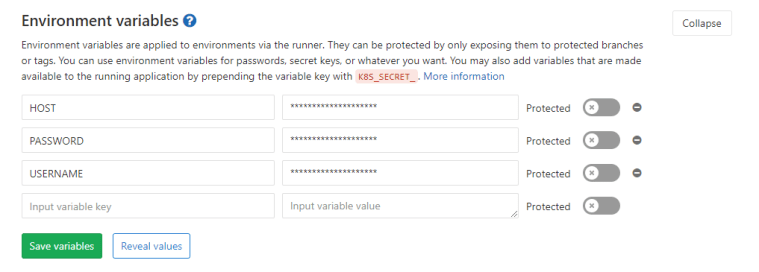
yourproject > settings > ci_cd> Variables and click "Expand".
You'll see a form to set name and value for the variable, as shown
here.